What is a CRM-integrated donor insights workflow?
Strategy & Frameworks

A CRM-integrated donor insights workflow turns donor data into ranked actions and writes them back into the CRM so teams can decide who to focus on and what to do next.
What is a CRM-integrated donor insights workflow?
A CRM-integrated donor insights workflow is a repeatable loop that reads the donor data in your CRM, turns it into ranked priorities and next actions, then writes those actions back into the CRM so your team can run them in the tools they already use.
In plain terms: it answers two questions every week. Who should we focus on? What should we do next for each of them, across every program?
The workflow runs as a loop: predict, act, measure, repeat. Each cycle produces a decision the team can approve, an action the team can execute and a result that sharpens the next cycle.
The core terms, defined
Before the loop makes sense, it helps to define the moving parts. These are the terms fundraisers meet most often.
System of record. The CRM where constituent data and giving history live. It is the source of truth. A donor insights workflow reads from it and writes back to it, but does not replace it.
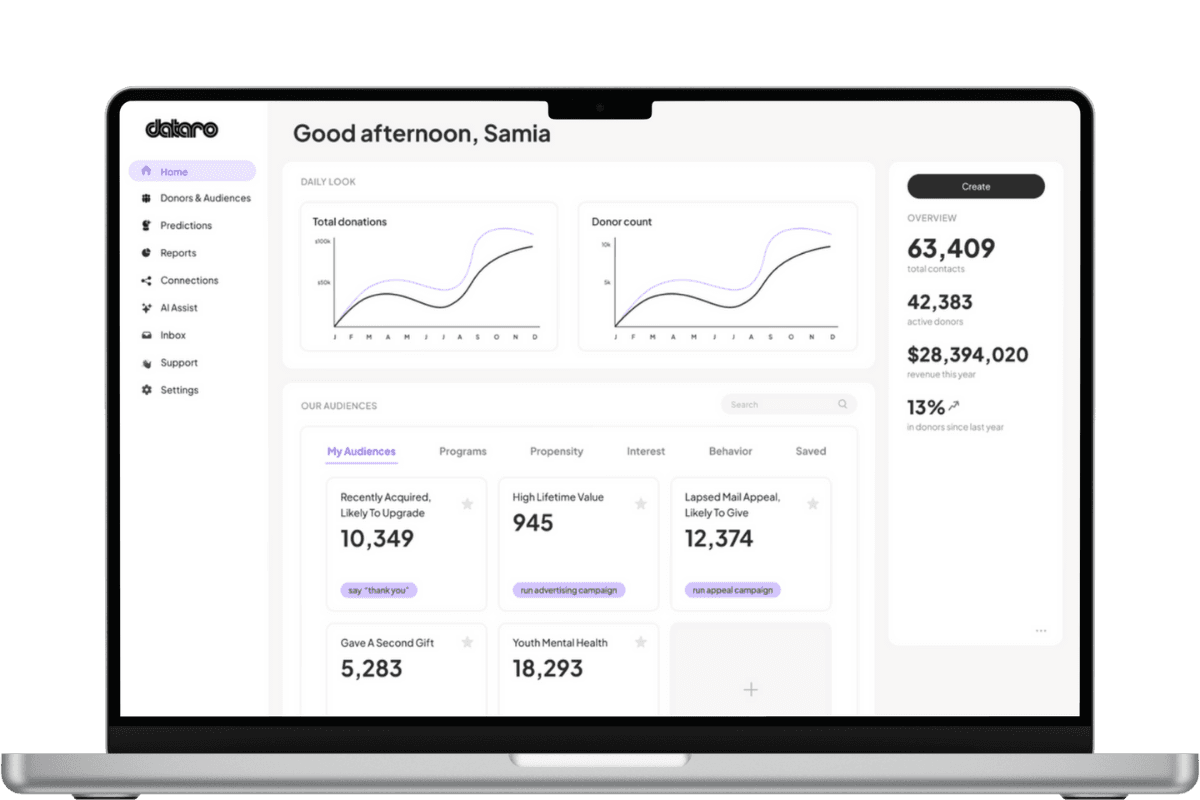
Predictive layer. Software that sits on top of the CRM, reads the data and returns ranked actions. It is the functional engine of the workflow. It adds signals and priorities the CRM does not produce on its own.
Propensity scoring. A model estimate of how likely a donor is to take a specific action, such as giving to the next appeal, upgrading or starting a recurring gift. Scores let you rank a file instead of guessing at cutoffs.
Churn scoring. A model estimate of how likely a donor, often a recurring donor, is to lapse or cancel. It flags at-risk value early enough to act on it.
Next best action. The single recommended step for a given donor right now: contact, upgrade, steward, suppress or hand off to another program. It converts a score into something a person can do.
Action pushback (writeback). The step that sends ranked actions from the predictive layer back into the CRM as audiences, tasks, tags, lists or fields. Without writeback, insights stay stuck in a dashboard.
Smart audiences. Ranked, model-built segments that land in the CRM ready to activate across mail, email, phone or ads. They replace static rules with lists tuned to a goal.
The loop: predict, act, measure, repeat
The workflow is not a one-time report. It is an operating rhythm. Here is each stage.
Predict
The predictive layer reads current CRM data and produces ranked lists, cutoffs and a recommended next action on each record. The output is a decision the team can review and approve, not a wall of charts.
Act
The rankings and next best actions write back into the CRM as smart audiences, tasks and tags. Fundraisers run the work in their existing tools: appeals, retention, mid-value, major gifts and stewardship.
Measure
Results from those actions flow back as new signals. The workflow shows what changed, so you can see whether the cutoff held and where lift came from.
Repeat
Fresh results become inputs for the next prediction. Each cycle gets sharper because the models learn from what the team actually did and what it returned.
How the data moves: CRM to layer to CRM to action
The workflow follows a simple path:
The CRM holds the donor data and history.
The predictive layer turns that data into ranked priorities, cutoffs and next actions.
Those outputs write back into the CRM as audiences, tasks, tags, lists or fields.
The team runs the actions, and results return as new signals for the next cycle.
The point is workflow fit. Insights only matter if they land where the work happens.
All-in-one CRM analytics vs. an AI layer on top
Buyers usually weigh two positions. One is analytics built into an all-in-one CRM. The other is a dedicated predictive layer that sits on top of the CRM and writes actions back. Both have trade-offs.
Consideration | All-in-one CRM analytics | AI layer on top of the CRM |
|---|---|---|
Primary job | Store data and report on what happened | Decide who to focus on and what to do next |
Output | Dashboards and reports | Ranked lists, cutoffs and next best actions |
Writeback | Native, but often descriptive | Purpose-built to push actions back into workflows |
Model depth | Add-on, often general purpose | Core function, often multi-program and specialized |
CRM change required | None, it is the CRM | None, it sits on top of your existing CRM |
Cross-program view | Varies by suite | Built to coordinate appeals, retention and stewardship |
Best for | Teams that mainly need reporting in one place | Teams that need execution-ready actions, not just analysis |
The short version: all-in-one analytics tends to explain what happened. A predictive layer is built to decide what to do next and get it into the workflow. Many teams keep their CRM and add a layer for the decisions.
Practical recommendations
If you are setting up or reviewing a donor insights workflow, focus on the parts that make it usable.
Start with the decision, not the dashboard. Ask whether the tool produces ranked actions your team can run, or only reports.
Confirm writeback. Insights that cannot land in your CRM as audiences, tasks or fields will not get used.
Insist on explainable outputs. If the team cannot justify a cutoff, approvals slow down. Clear, inspectable rankings move faster.
Run the full loop before you judge results. Measure what changed, then let the next cycle sharpen. One prediction is not a workflow.
Protect value early. Use churn scoring to flag at-risk recurring donors before they cancel, not after.
Keep your CRM. A good workflow adds a predictive layer on top. It should not ask you to switch systems.
Conclusion
A CRM-integrated donor insights workflow is the operating loop that turns stored data into action. It predicts who to focus on, writes next best actions back into the CRM, measures what changed, then repeats.
The workflow succeeds when it fits how the team already works. Choose the approach that gives you ranked, explainable actions inside your CRM, so every week you can answer two questions with confidence: who to focus on and what to do next.
Related articles
Discover more insights into nonprofit fundraising and data from the Dataro team.