CRM-integrated donor insights: what the workflow actually is
Strategy & Frameworks

A CRM-integrated donor insights workflow that turns system-of-record data into ranked donors and clear next actions delivered back into daily fundraiser workflows.
What is a CRM-integrated donor insights workflow?
A CRM-integrated donor insights workflow is a repeatable process that reads the donor data already in your CRM, ranks who to focus on and returns a clear next action on each record inside the tools your team uses every day.
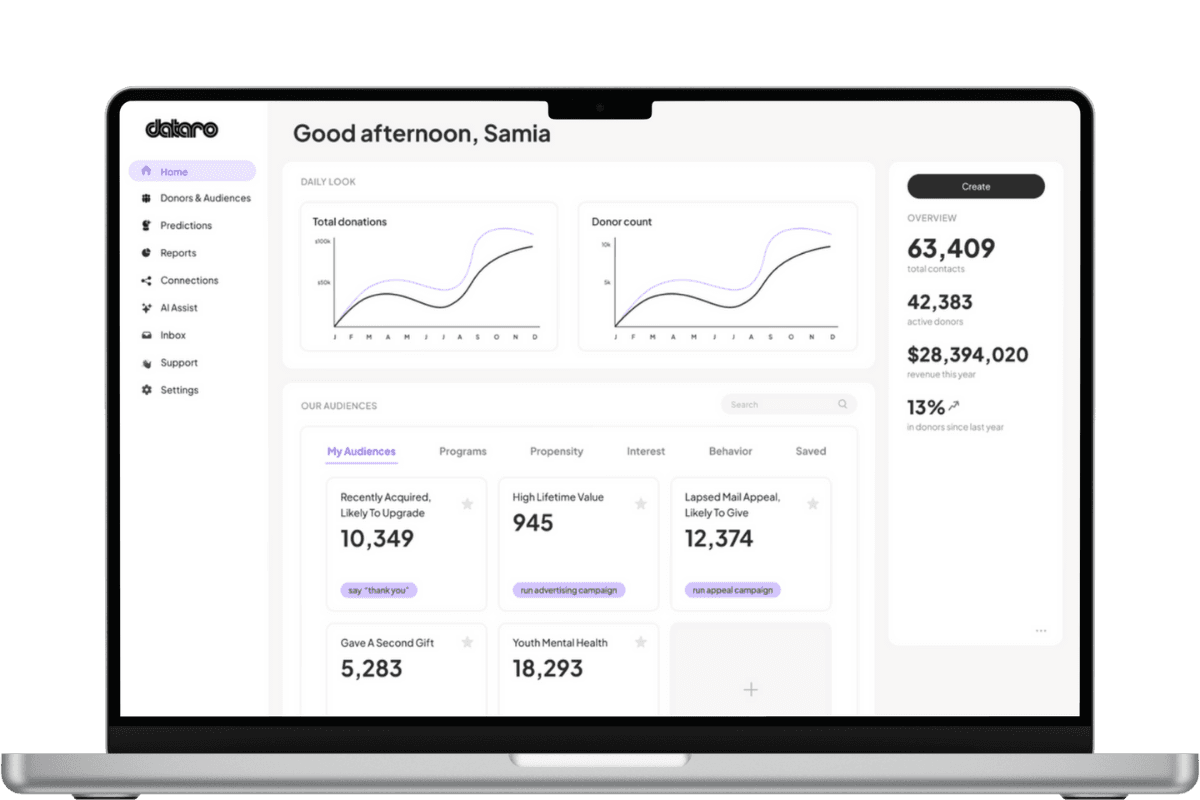
It does not replace your CRM. It sits on top of it. Your CRM stays the system of record. The workflow adds a predictive layer that turns stored history into ranked lists, cutoffs and next best actions, then syncs those outputs back as tasks, tags, fields or audiences.
The loop is simple: predict, act, measure, repeat. The CRM holds the data. The predictive layer ranks donors and recommends actions. Those actions flow back into the CRM. Fundraisers run the work, and the results become new signals for the next cycle.
CRM as system of record vs CRM plus a predictive layer
Most fundraising teams already own a capable CRM. The gap is rarely storage. It is turning stored history into who to contact this week and what to do for each of them.
A system of record tells you what happened. A predictive layer tells you what to do next. Here is the contrast.
Capability | CRM as system of record | CRM plus predictive layer |
|---|---|---|
Primary job | Store and report constituent data | Rank donors and recommend next actions |
Question it answers | What happened? | Who to focus on and what to do next? |
Targeting method | Manual segments, RFM, gut feel | Propensity scores and ranked lists |
Output | Reports, lists, dashboards | Ranked donors, cutoffs, next best actions |
Where work happens | Pulled into spreadsheets | Actions land back in the CRM workflow |
Trade-off | Full control, but slow and manual | Faster targeting, needs clear, explainable models |
The trade-off is worth naming plainly. A CRM alone gives you total control but leaves the hard prioritization to manual work and last year's rules. A predictive layer speeds that up and makes cutoffs clearer, but only earns trust when the scores are inspectable and easy to justify.
Can my CRM rank donors on its own?
Usually not in the way fundraisers mean. Most CRMs can sort and filter on fields you already store, and some offer add-on scores. That is different from ranking every donor by a modeled likelihood to give, upgrade, lapse or respond.
Ranking in this sense means a propensity score on each record, updated as new data arrives, so you can draw a clear cutoff and mail fewer people with confidence. If your CRM cannot produce that, a predictive layer supplies it without moving you off your current system.
Question to ask a vendor: Can you score every active donor for a specific program, show why each score landed where it did and refresh those scores on a set cadence?
What are next best actions, and where do they come from?
A next best action is the recommended move for one donor right now: upgrade, steward, suppress, invite to recurring giving or hand off to another program. It is the answer to the second buyer question, what should we do for each of them across every program.
Actions come from the predictive layer reading signals across your donor file, not from a single channel tool optimizing one form or email. That cross-program view is what stops appeals, retention and stewardship from resetting each other's work.
Question to ask a vendor: Do recommendations span programs, or only the one channel the tool controls?
Can those actions land in daily fundraiser workflows?
This is the question that decides whether the workflow gets used. Insights that live in a separate dashboard rarely change what a fundraiser does on Monday morning.
The test is a two-way sync. Outputs should return to your CRM as tasks, tags, list membership or custom fields so the team executes in the tools they already know. No new system to log into. No manual re-entry.
Question to ask a vendor: Which of my CRMs do you sync with, in both directions, and how often?
How do we trust and explain the rankings?
Trust is a buying criterion, not a nice-to-have. Leaders need to justify a cutoff to a board or a program owner, so the scores behind it have to be clear and explainable.
Look for models that show the factors behind a score, controls over how outputs are used and a security posture that fits your data obligations. If you cannot explain it, you cannot run it.
Question to ask a vendor: When I remove donors below a cutoff, can I show a colleague exactly why they scored low?
A practical evaluation checklist
Use these steps to test any CRM-integrated donor insights workflow before you commit.
Confirm it reads your CRM as-is, with no migration required.
Ask for a ranked list on one real program, with a recommended cutoff.
Check that each record carries a next best action, not just a score.
Verify two-way sync into your specific CRM and how often it runs.
Require an explanation of the model behind the scores.
Agree on how you will measure lift so the next cycle gets sharper.

Practical takeaways
A CRM-integrated donor insights workflow keeps your CRM as the system of record and adds a predictive layer that ranks donors and returns next actions.
The value shows up when actions land back in daily workflows, not in a separate dashboard. If fundraisers have to leave their tools, adoption stalls.
Rank on modelled propensity, act on cross-program recommendations, measure the lift, then repeat. Fewer, better touches beat more activity.
Conclusion
Your CRM answers what happened. A predictive layer answers who to focus on and what to do next, then pushes those actions into the tools your team already uses. When you evaluate a workflow, judge it on three things: can it rank every donor, does it recommend a clear next action and do those actions land back in daily fundraiser work. If the answer is yes and the scores are easy to explain, you have a workflow your team will actually run.
Want to see ranked donors and next best actions on your own data? Book a demo mapped to your CRM.
Related articles
Find more non-profit fundraising and data insights from the Dataro team.